DZDREAM's galaxy dual-monitor command deck — Beijing
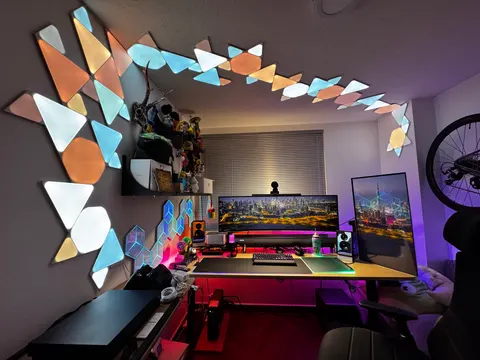
DZDREAM is a pattern design director from Beijing who built his workspace around one rule: 'lighting sets the mood before anything else.' The result is a dual-monitor command deck — galaxy wallpapers spanning an LG Studio Display and a UQ850V, purple RGB bleeding into every corner. Immersive by design, not accident.
- Contributor
- DZDREAM
- Role
- Pattern design director
- Place
- Beijing, China
- Year
- 2026
- Use
- Content / creative
- Display
- Dual display
- Source
- wdsf-2026
More1
- Room
- 10
Gear list18 items · includes affiliate links
Some links are affiliate links. As an Amazon Associate, Beyond Desk earns from qualifying purchases.
- Monitor arm
- Sunon HT ZERO dual-arm (opens in new tab)
- Monitor light
- Yeelight (opens in new tab)
- Desk riser
- Hexcal Studio (opens in new tab)
- Desk lamp
- COLO LIGHT (opens in new tab)
- Laptop stand
- Sunon T7 (opens in new tab)
- Thunderbolt dock
- CalDigit TS4 (opens in new tab)
- External storage
- Samsung T7 SSD (opens in new tab)
- Smartphone
- iPhone 16 Pro Max (opens in new tab)
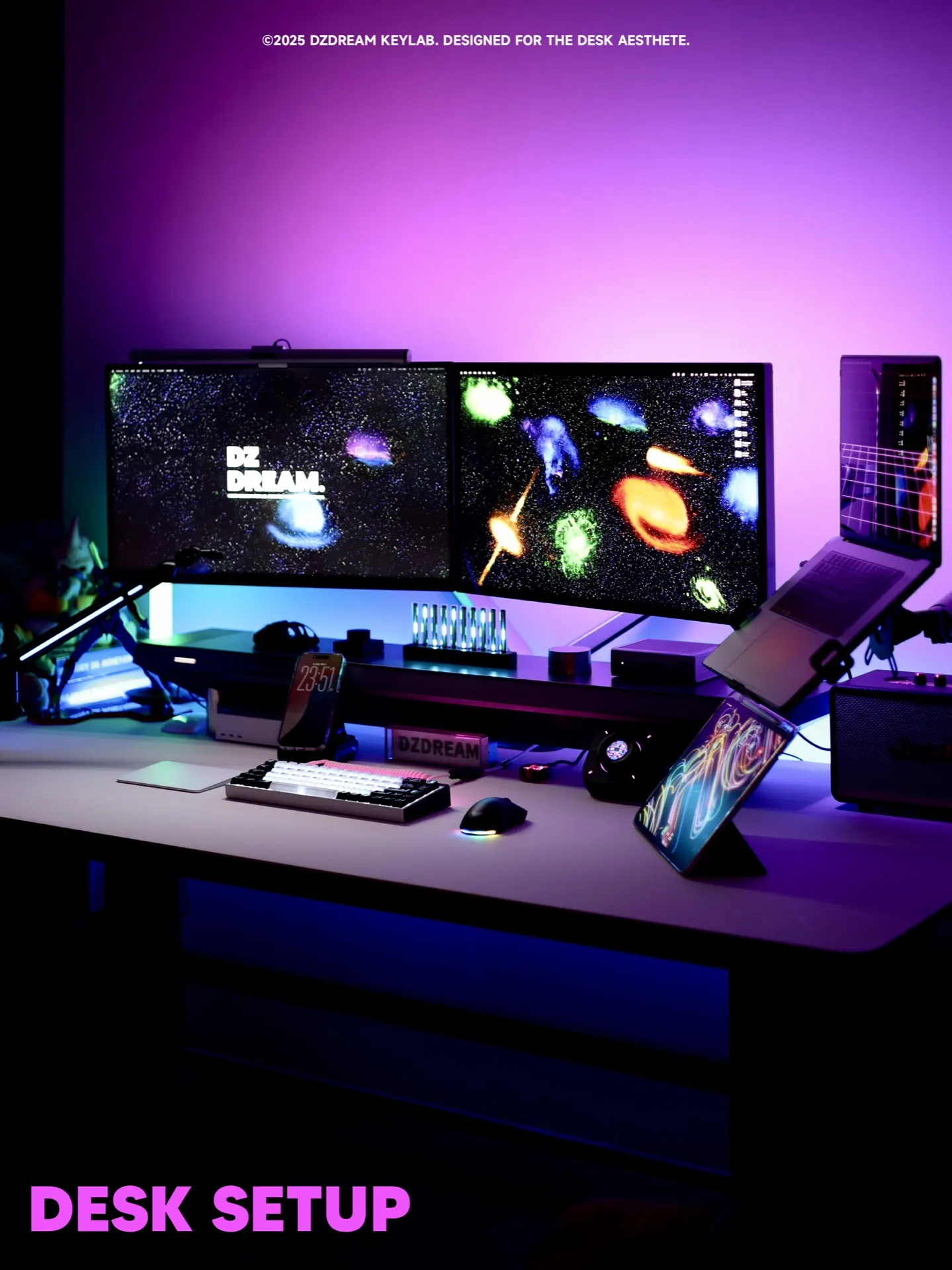
Photo 1 / 4 · S·0081
← → photos
In their own words
My desk style leans tech plus ambience — built around RGB lighting and space-themed wallpaper to create an immersive creative space. My advice for beginners is to start with three things: 1. Lighting first — the atmosphere falls into place right away; 2. A monitor arm plus cable management makes the desk much tidier; 3. Leave room to expand, so upgrading later is easy.
— DZDREAMtranslated
Observation notes
Hexcal Studio handles the infrastructure layer — power, cable routing, surface discipline — so the galaxy can take over everything else.
Comments